Written by Lidia Vijga. App Built with Hercules. Not sponsored, just impressed.
My father-in-law has migraines. Bad ones, and unfortunately quite often.
He also doesn’t speak English very well. So when he sits in front of a doctor and tries to explain what’s happening inside his head, the words come out hopelessly vague: “headache… sometimes… strong.” The doctor, in return, offers equally vague recommendations (proper sleep, a good diet, less stress) and sends him home.
Since “sometimes, strong, headache” doesn’t sound like a serious case, they don’t run any diagnostics or refer him to a specialist.
A doctor can’t diagnose from a 10-minute appointment and a patient’s fuzzy memory, especially through a language barrier. But if that same doctor received 30 days of clean data (attack frequency, pain intensity, duration, and the meds he took), the case would be taken much more seriously.
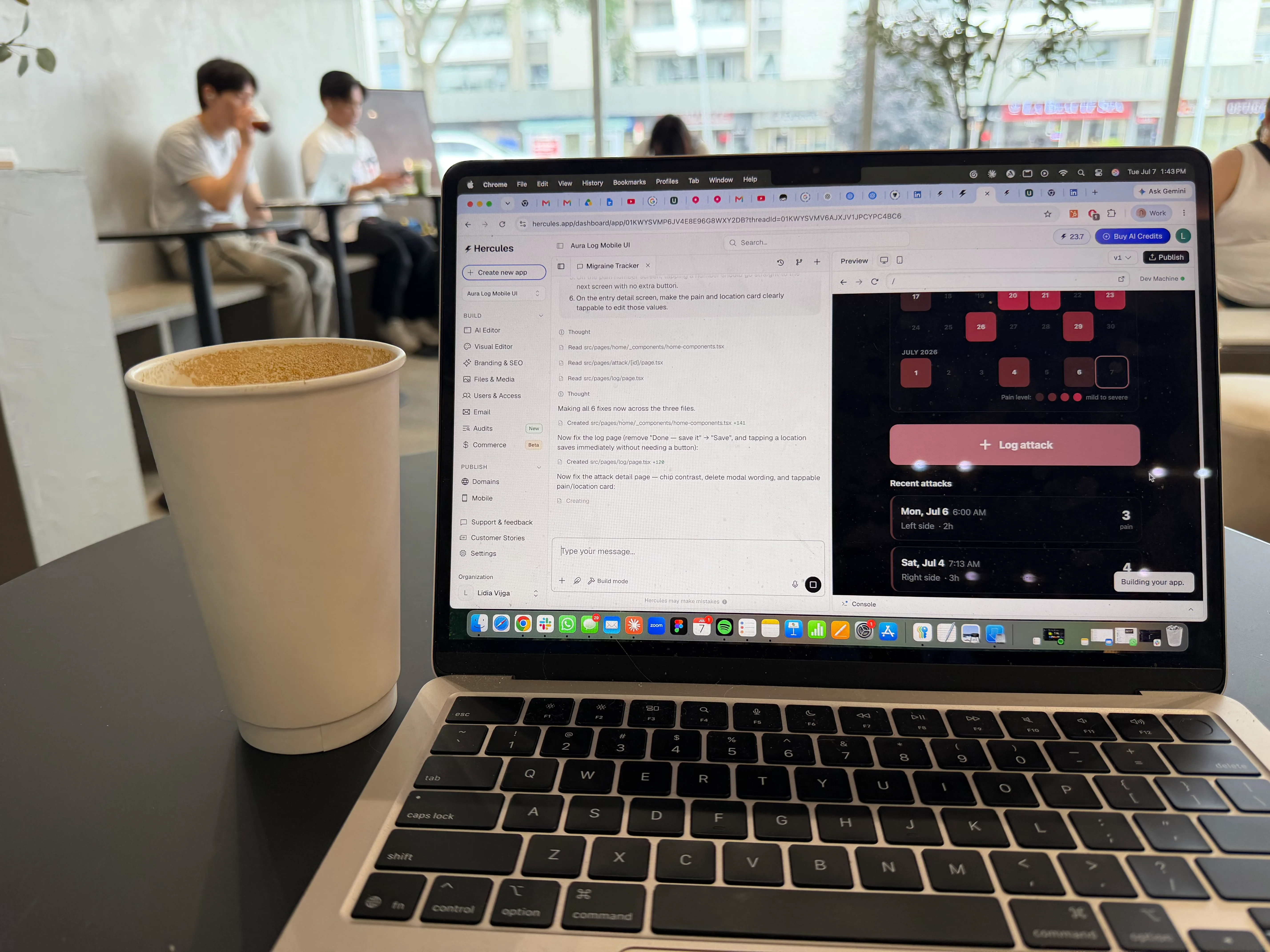
So I built him a migraine diary app in a few hours. To be completely transparent, I’m a marketer who happened to co-found two software companies in the past, but I’m not an engineer. I understand how software works, UI, backend logic, data architecture, but I don’t write code. And I built the entire thing in one afternoon, with one latte and a $25 plan upgrade, using an AI app builder called Hercules.
Here’s exactly how I did it, start to finish.
Research first, prompts second
Even though I had a specific use case and a specific user in mind, I didn’t start by building. I started by checking whether apps like this already existed, and what people loved and hated about them.
The category already has a clear leader, so the idea was obviously validated. But its users complained about the same 3 things over and over.
- a bright, cluttered interface
- a locked-down free tier
- and subscription fatigue
The most valuable thing I found was a peer-reviewed study that analyzed 945 reviews of headache apps to understand what users actually want:
- fast, simple logging of symptoms, triggers, and treatments
- personalization and simple trends in their own data over time
- easy way to export data to show their doctor
And the most requested feature in the entire category was exactly my father-in-law’s problem. In my case, the doctor report was the whole point of the app all along.
The study pulled 945 reviews from these 15 apps.
| Android App | Reviews | iOS App | Reviews |
|---|---|---|---|
| Headache Log | 221 | Migraine Buddy | 149 |
| Migraine Buddy | 153 | Migraine Insight | 71 |
| Migraine Insight | 63 | Ease: Headache and Migraine | 32 |
| Migraine Monitor | 62 | N1 Headache | 27 |
| Migraine Headache Diary HeadApp | 60 | iMigraine | 17 |
| My Cluster Headache | 26 | Migraine Monitor | 16 |
| Headache Diary Free | 20 | ||
| Headache Tracker and Treatment | 19 | ||
| iMigraine | 9 |
So my vibe coding plan wrote itself:
An app where you can log an attack in under 10 seconds, in a dark room, with one hand, and a one-page report so clean and clinical that any doctor takes it seriously.
Your first prompt is your product brief
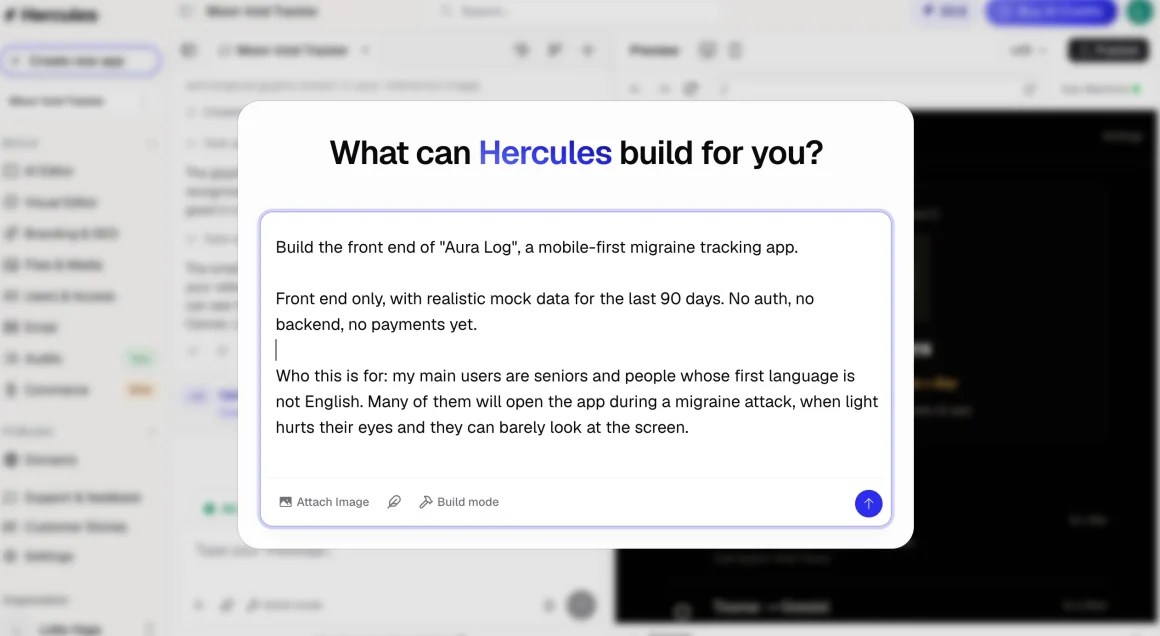
Hercules works like this: you describe what you want in plain language, it builds the app, you look at the preview, you give feedback, and it revises. No code anywhere. If you ever briefed an agency or a freelancer, you already have the core skill.
I spent more time on my first prompt than on anything else that day, and I believe this is what made the difference. 3 things I did that I would recommend to anyone:
- Describe the user, not just the app.
I wrote that my main users are seniors and people whose first language is not English, and that many of them will open the app during a migraine attack, when light hurts their eyes and they can barely look at the screen. That single paragraph drove almost every design decision the AI made afterwards. - Turn your empathy for users into rules.
Big buttons with minimum 56px touch targets. Body text at least 18px. Copy at a 5th grade reading level, so “How bad is the pain?” instead of “Rate your pain intensity.” One question per screen. Everything dark and calm by default. - Decide what the app will never do. (the red line)
I wrote: do not include any diagnosis, prediction, or medical advice anywhere in the app. It is strictly a diary. It never tells the user what their data means. (We will get to this later in the article.)
The prompt was solid. But my workflow, not so much.
Hercules has a Plan mode that interviews you and creates a roadmap before building, and their docs clearly recommend it for exactly this kind of big first feature. I completely forgot to turn it on and sent my prompt in the default ‘Build mode’.
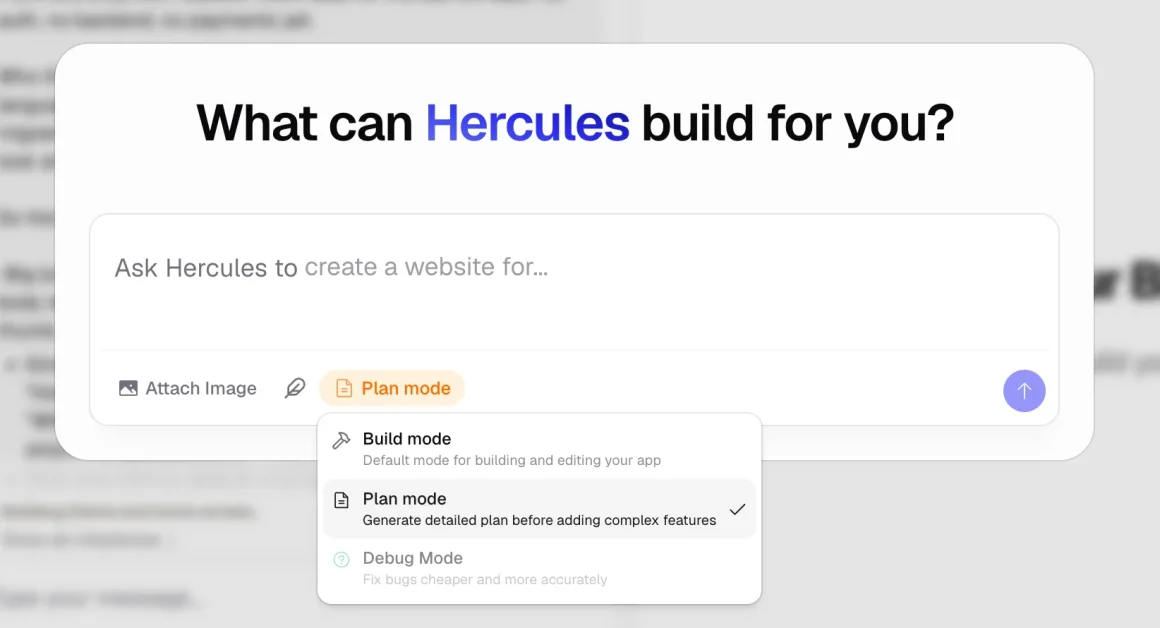
I switched mid-build, expecting to have broken something.
But Hercules recovered on its own and produced a clean four-milestone roadmap: theme and home screen, the log attack flow, attack details and editing, and the doctor report.
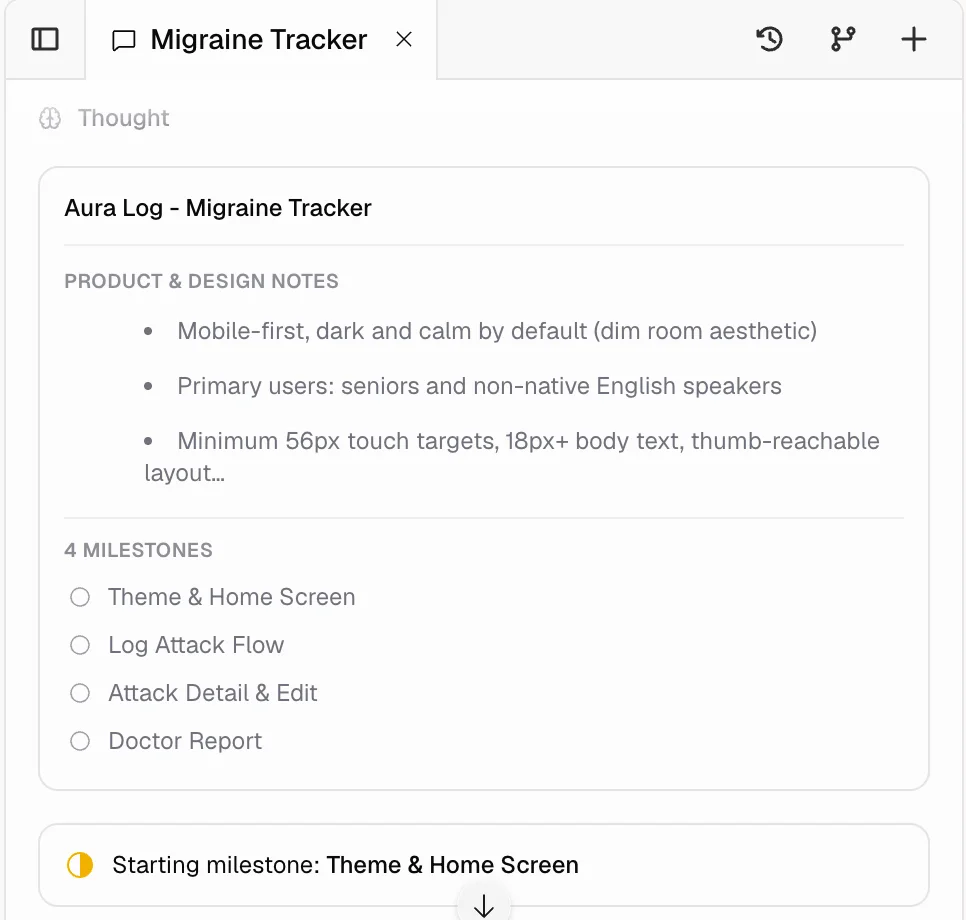
5 credits bought the entire interface
The first version of the app cost me about 5 AI credits. I’m careful not to call it a working app, because it wasn’t one yet. My prompt explicitly asked for the front end only, with realistic mock data, no auth, no backend. I wanted to nail the user experience first and wire the logic after.
So Hercules delivered exactly what I asked: a fully interactive front end running on mock data, a dark, calm migraine diary with a color-coded calendar and a doctor report screen.
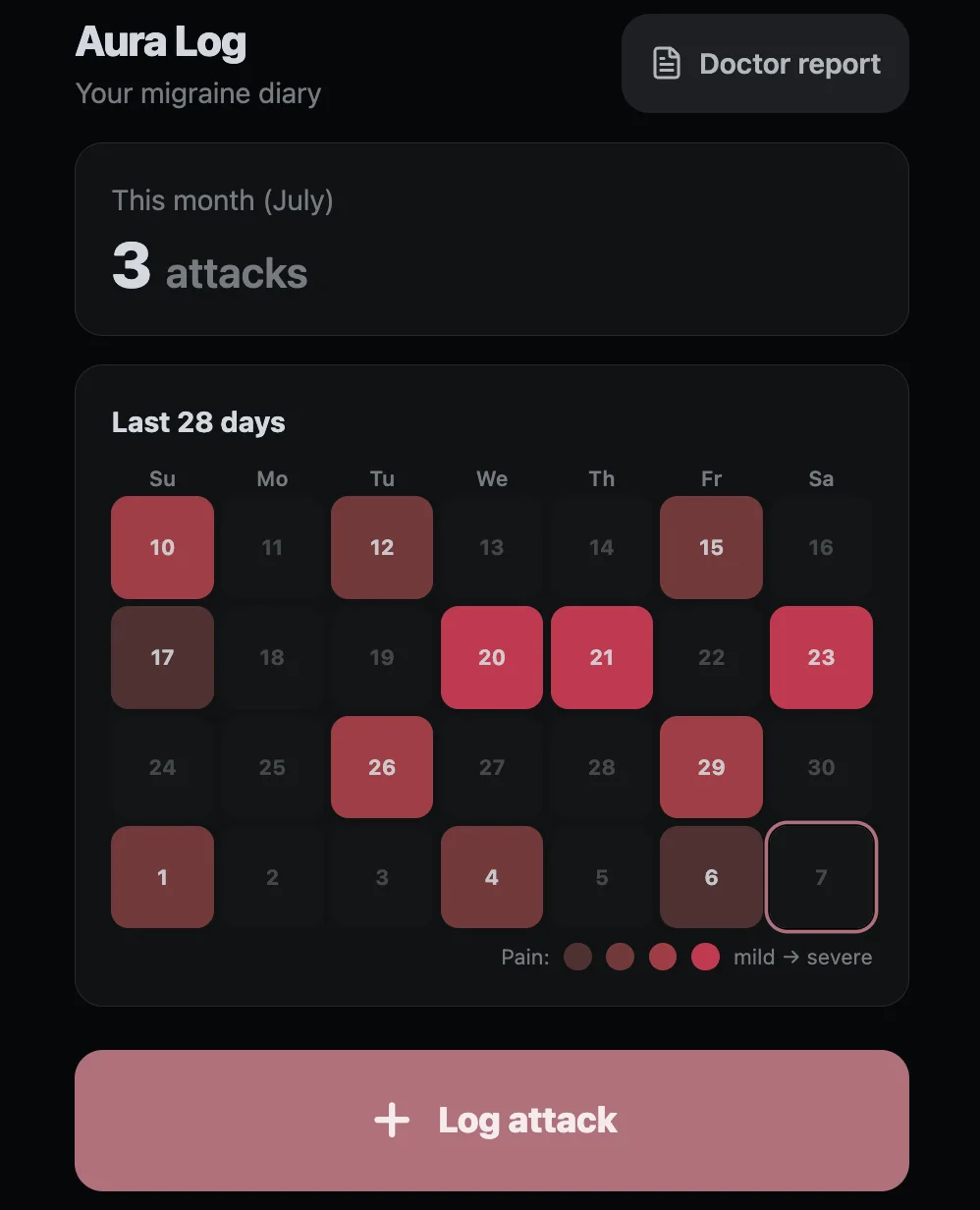
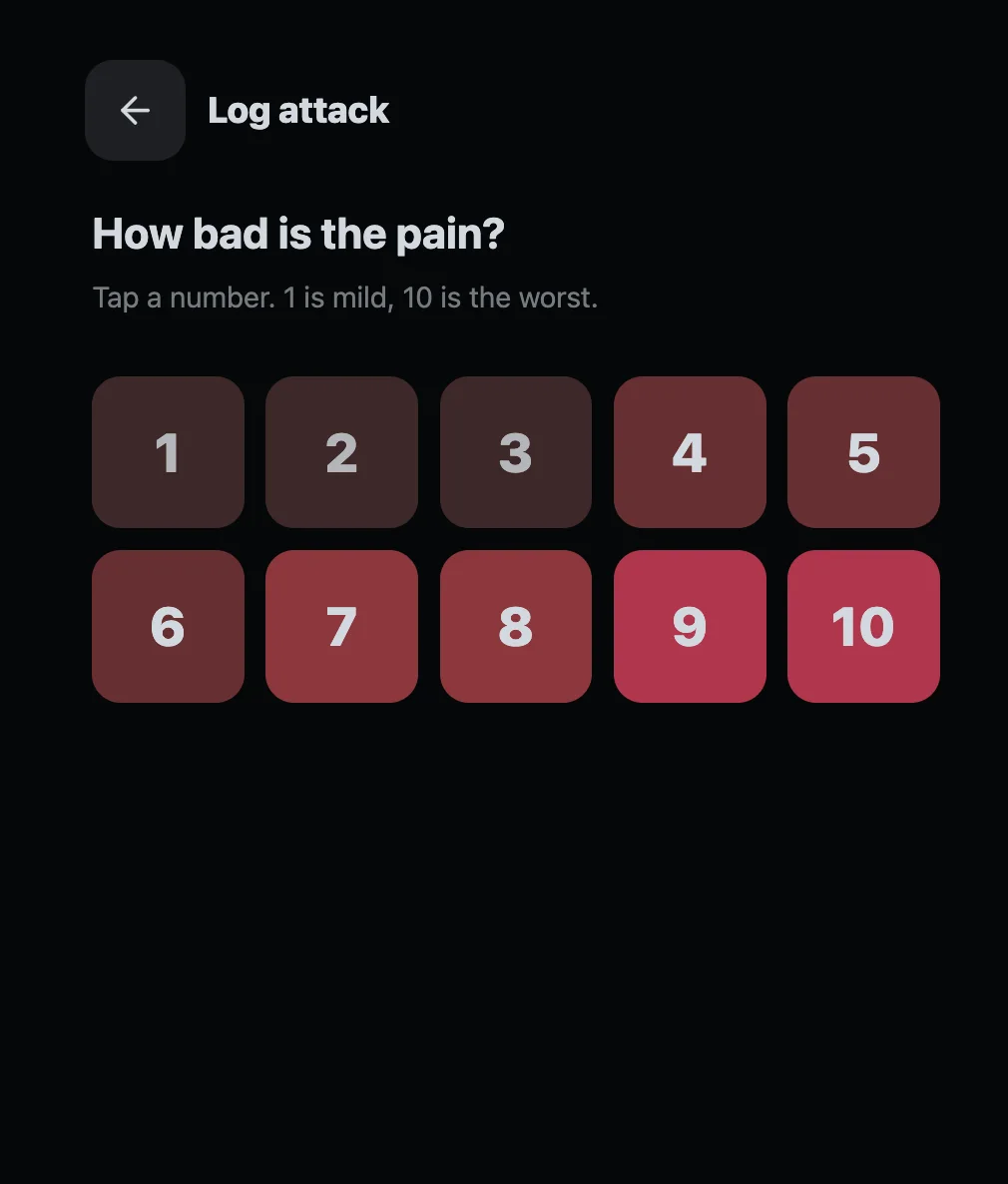
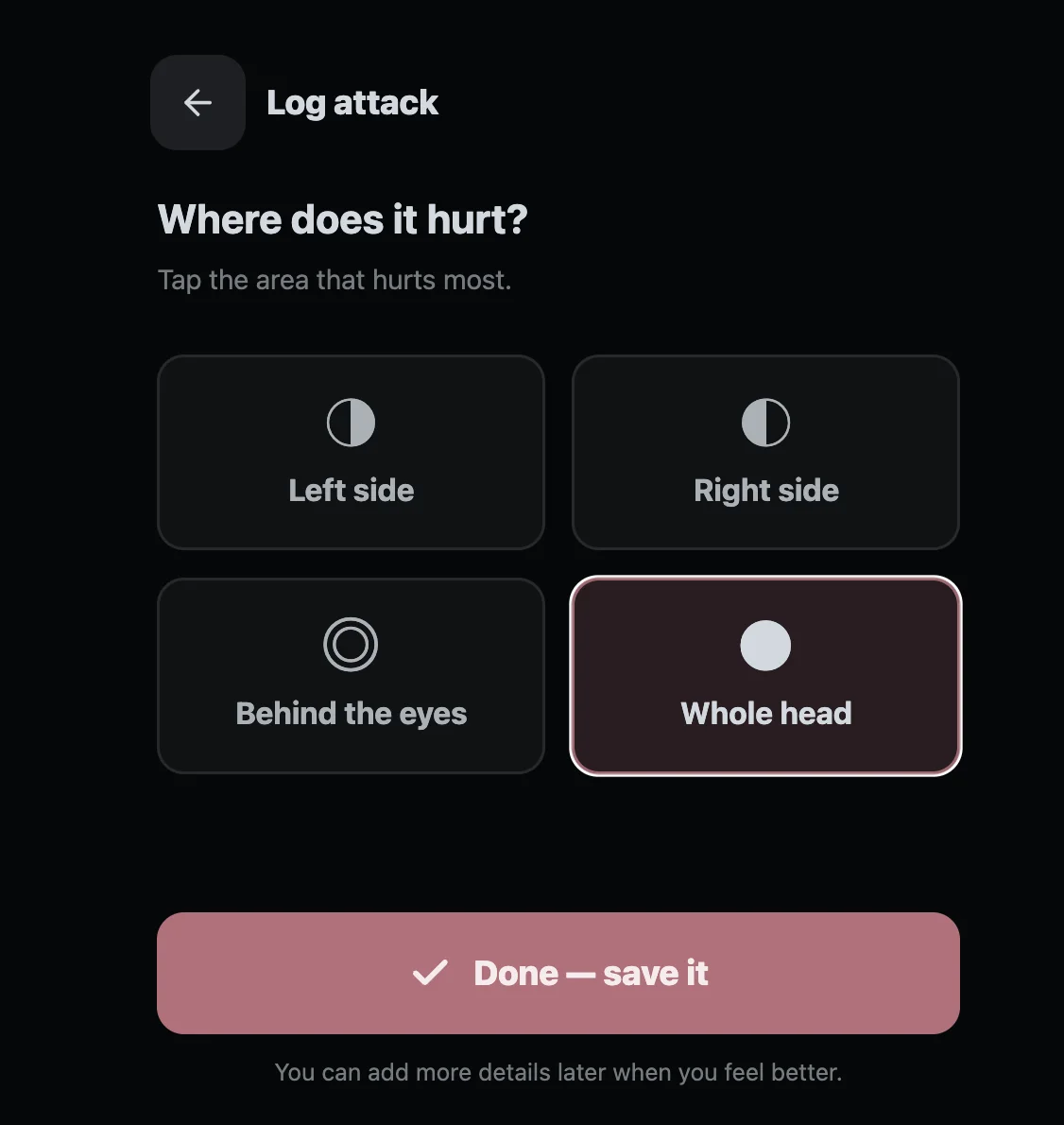
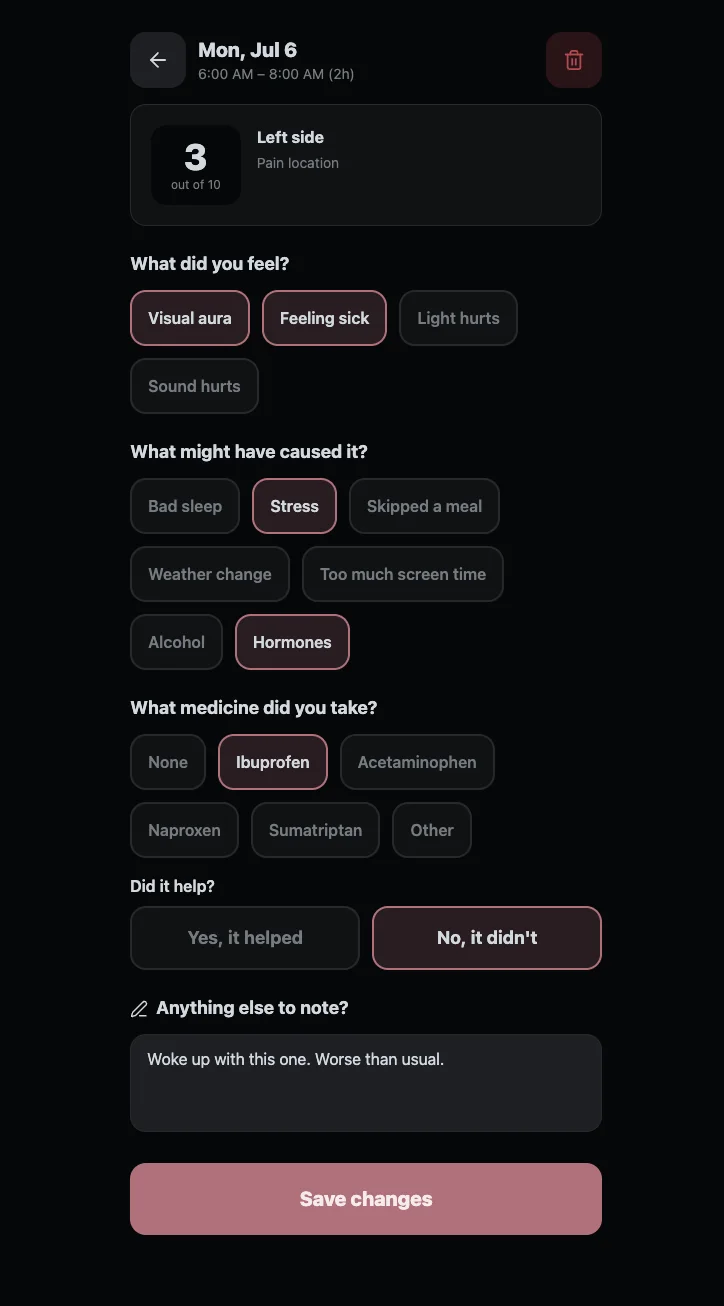
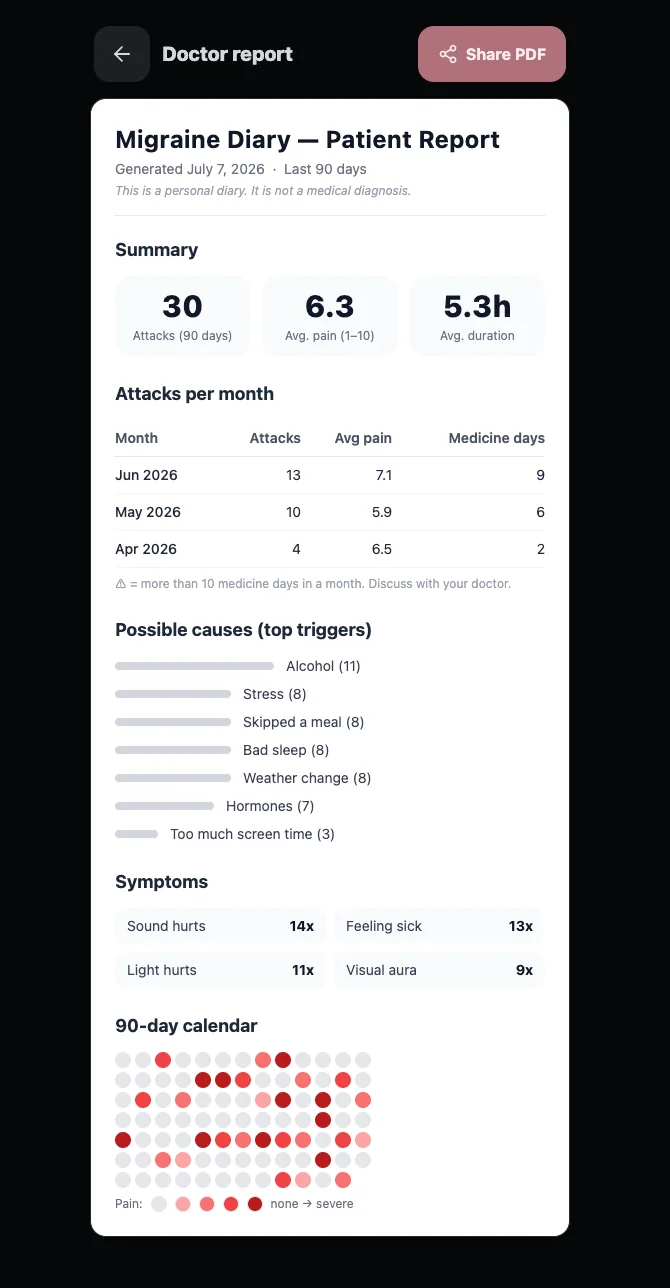
The logging flow was split in two on purpose.
Mid-attack, the app asks only two questions, how bad and where, and you’re done in seconds. Later, when you feel human again, you can open the entry and answer the rest: what you felt, what happened before it, what medicine you took and whether it helped, plus a free note for anything unusual.
You could tap through everything, but nothing saved and the PDF button was just a button. The real logic came later, and as you’ll see, that is exactly where the money went.
Still. A complete, polished interface for 5 credits, and I had 30. I was genuinely blown away.
What vibe coding actually is: a review loop
The building takes minutes. The reviewing is the actual job. The loop itself is simple. The AI ships a version, you walk through it the way your user would, you send back specific feedback, and it revises. And then you do it all over again.
The quality of the product depends entirely on the quality of what you feed the AI: your prompts, your reviews, and your feedback.
So I went through every screen the way my father-in-law would use it, one thumb, low light, zero patience, and sent back a list of revisions.
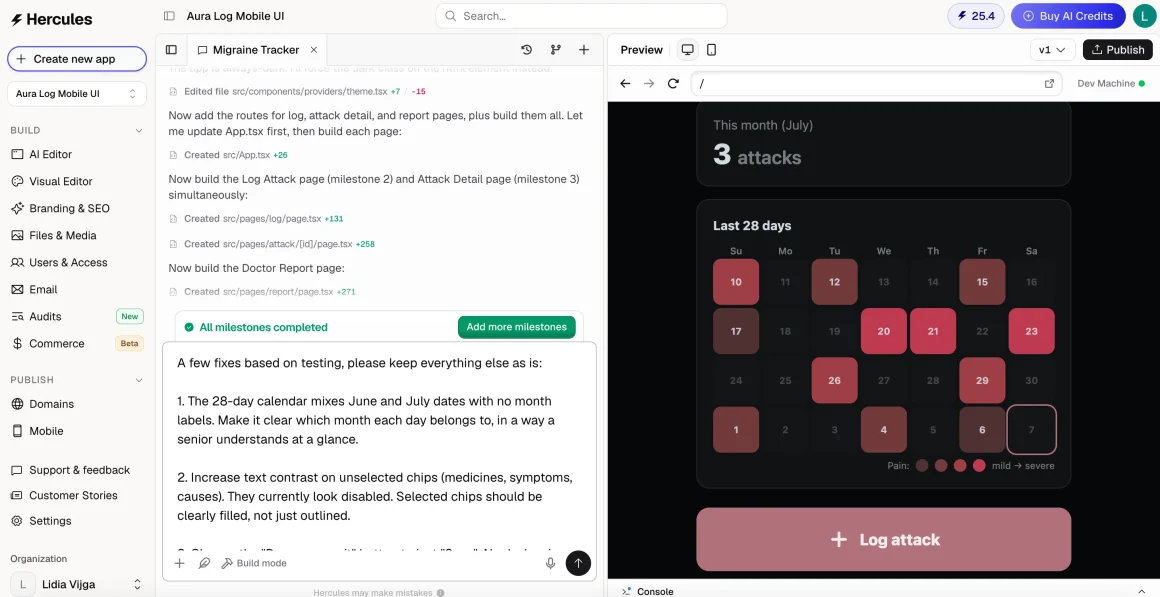
Hercules came back with an itemized changelog, ran its own error check, and took its own screenshots to verify the work before showing it to me. Watching an AI QA its own output was one of those moments where I sat back and thought: I’ve had human contractors who did less checking than this.
The real skill in vibe coding: knowing your user
Remember the red line from my first prompt? Strictly a diary, no interpretation, ever. And I want to be clear upfront: nothing here is Hercules getting it wrong. Hercules did exactly what a great AI app builder should do. It built what I asked for, it flagged what was broken, and it suggested what works for everyone else in the category. The one thing AI cannot do is know my user the way I do.
The first test came from my own product copy: “What might have caused it?”
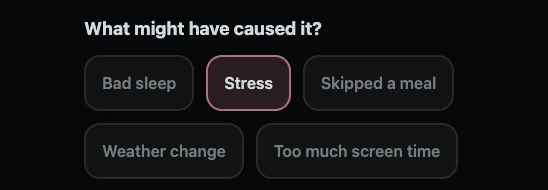
It looks completely innocent. But my rule said the app never interprets, and “caused” quietly invites the user to build theories. And we all know that patient trigger theories are famously unreliable, people blame chocolate for their migraines when craving chocolate is often an early symptom of an attack that has already started.
My common sense says: collect facts ONLY, let the doctor draw conclusions. So I sent Hercules one small prompt, and it changed the question to “Did any of these happen before it?” and updated the matching section of the doctor report in a single pass, a few-line edit, nothing rebuilt, nothing broken.
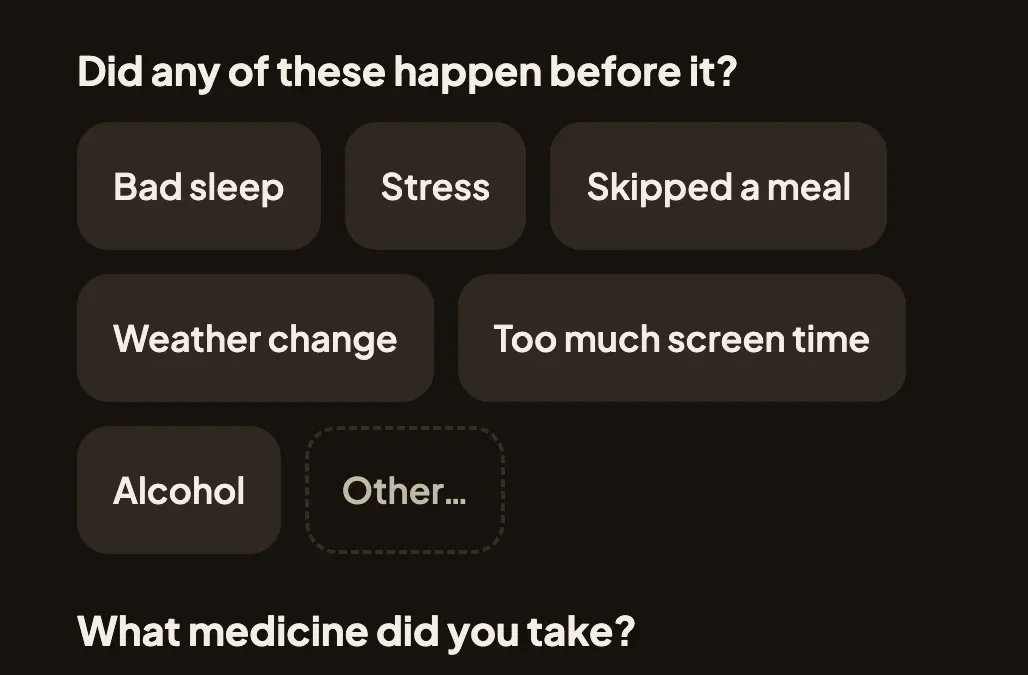
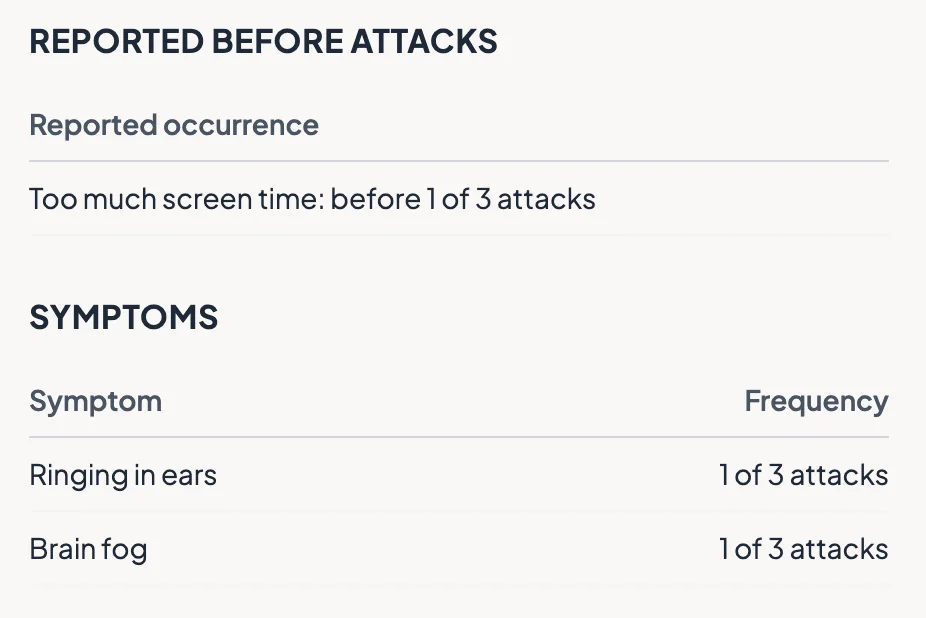
Now the app records what happened, and the doctor decides what it means. More honest, and funny enough, more credible to the person reading the report.
Hercules audits its own work (and it’s seriously impressive)
The second test came from my favorite feature of the whole platform. Hercules has a built-in Audits feature: it takes screenshots of your app, reads through the actual page code, and reviews everything across product, design, engineering, and security, then reports its findings.
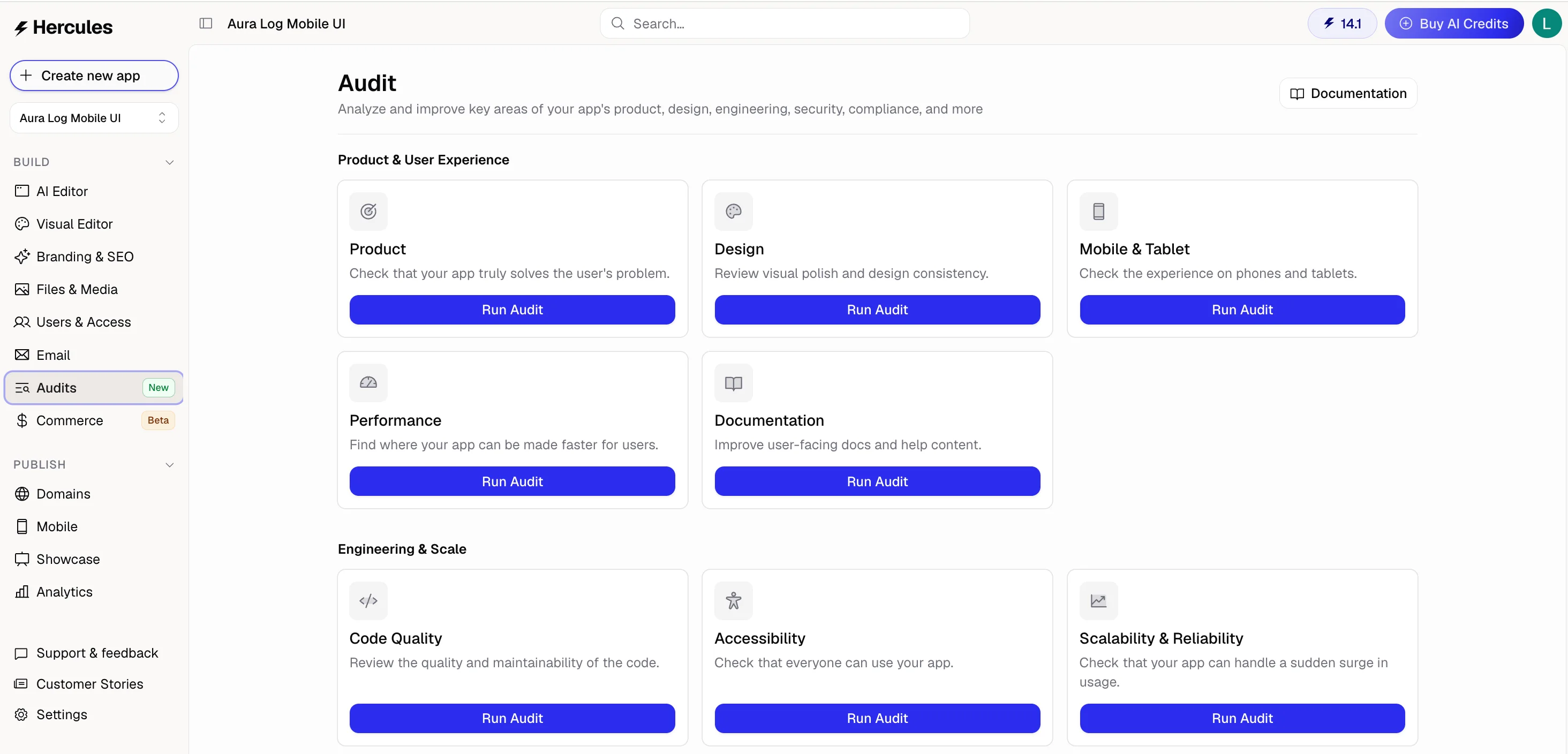
I ran the product audit and the results genuinely impressed me: 8 findings, including “nothing actually saves” (fair, I had only asked for the front end at that point) and “the PDF button doesn’t work.”
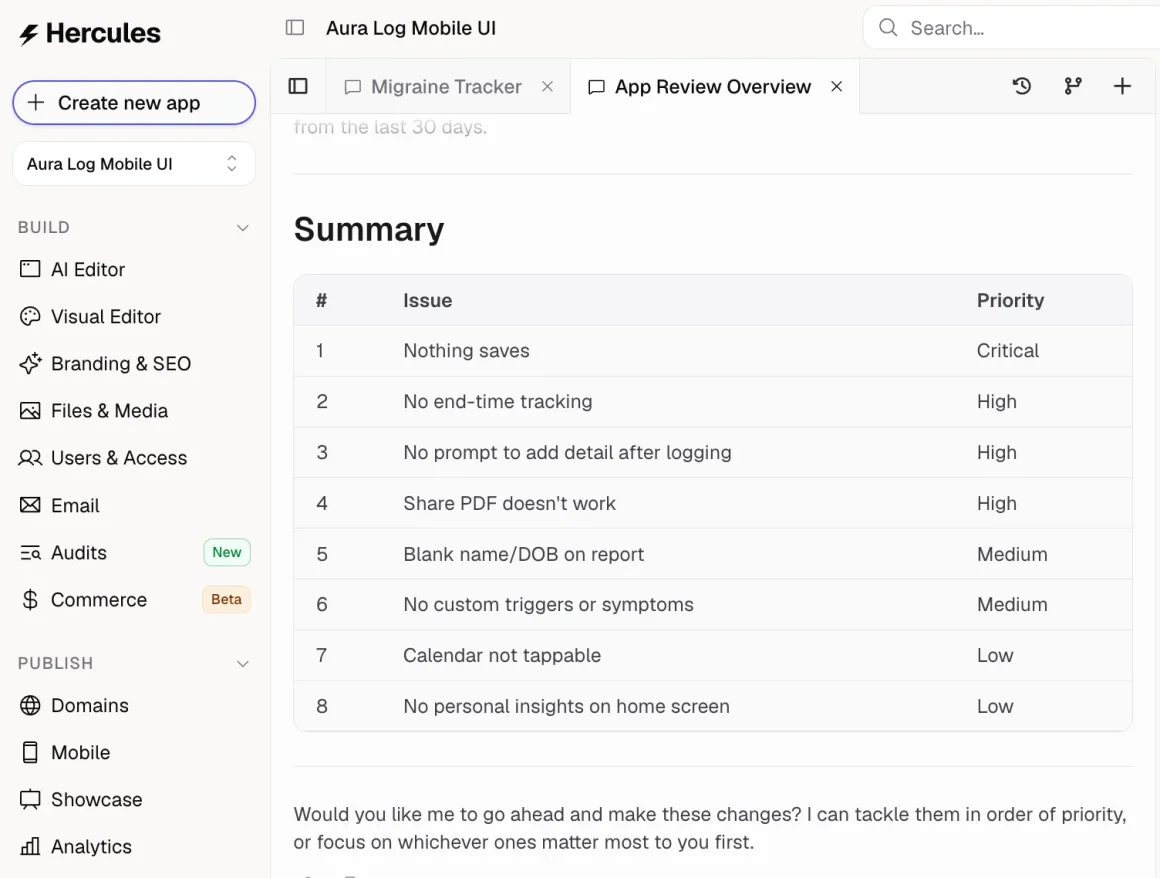
But finding #8 suggested adding “personal insights” to the home screen. The exact feature my rule banned. The audit wasn’t wrong by industry standards. Every health app does insights. And that’s the point: the AI recommends the industry default, but your principles are your job.
The compromise ending was my favorite part. Instead of “insights,” the home screen got a snapshot with nothing but raw numbers (no analysis, no judgment). Hercules turned that constraint into a design better than the insights would have been, and I loved it.
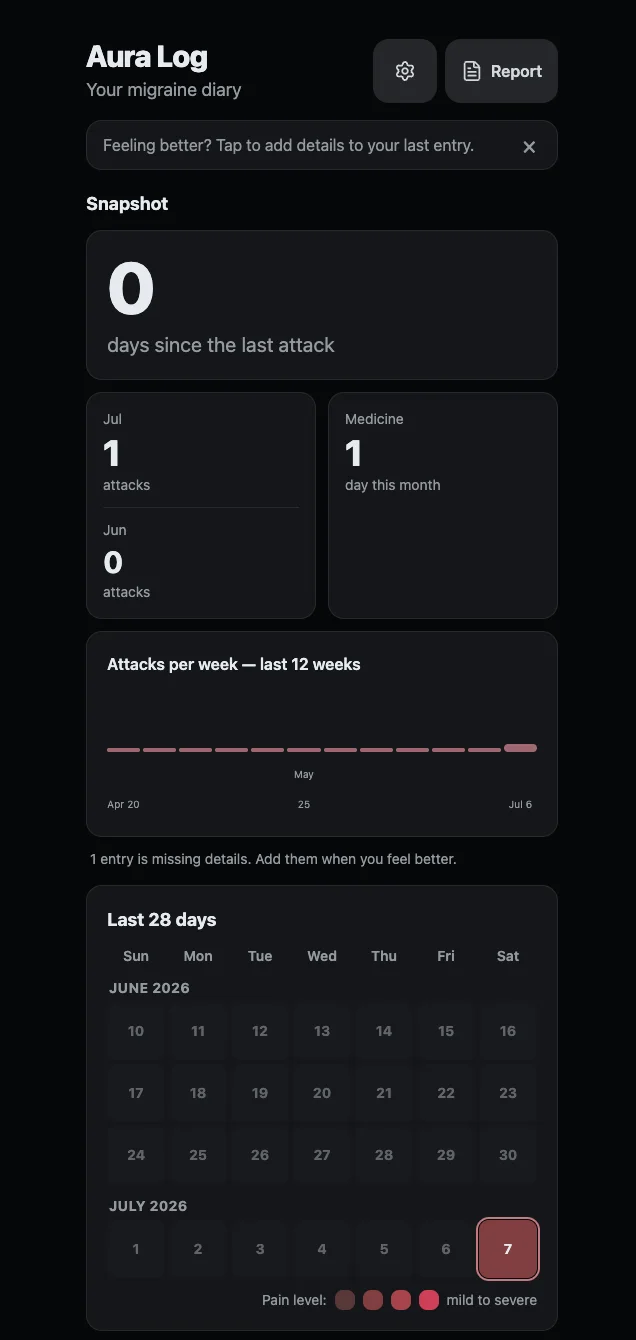
The simple question I used: can the user verify it by counting? If yes, it’s a fact, and facts are allowed. “You’re doing better this month” is a conclusion, and conclusions belong to the doctor.
How much does it cost to build an app with AI (my honest breakdown)
- Front end with complete UI, all 4 screens: about 5 credits
- 3 rounds of review fixes: about 7 credits
- The audit fix pass with real data storage, working PDF export, and end time tracking: about 17 credits
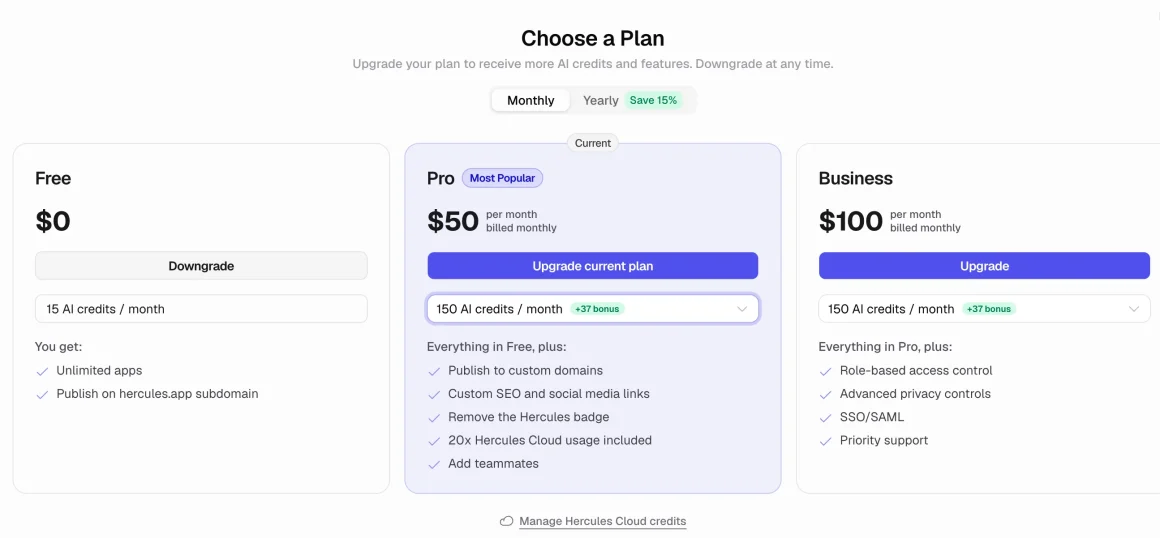
I ran out of credits at 0.19 with two features left, so I upgraded to the $50 a month plan. Not just to finish this app, I’m already vibe coding my next one and knew I would need more credits.
How I saved credits on design decisions
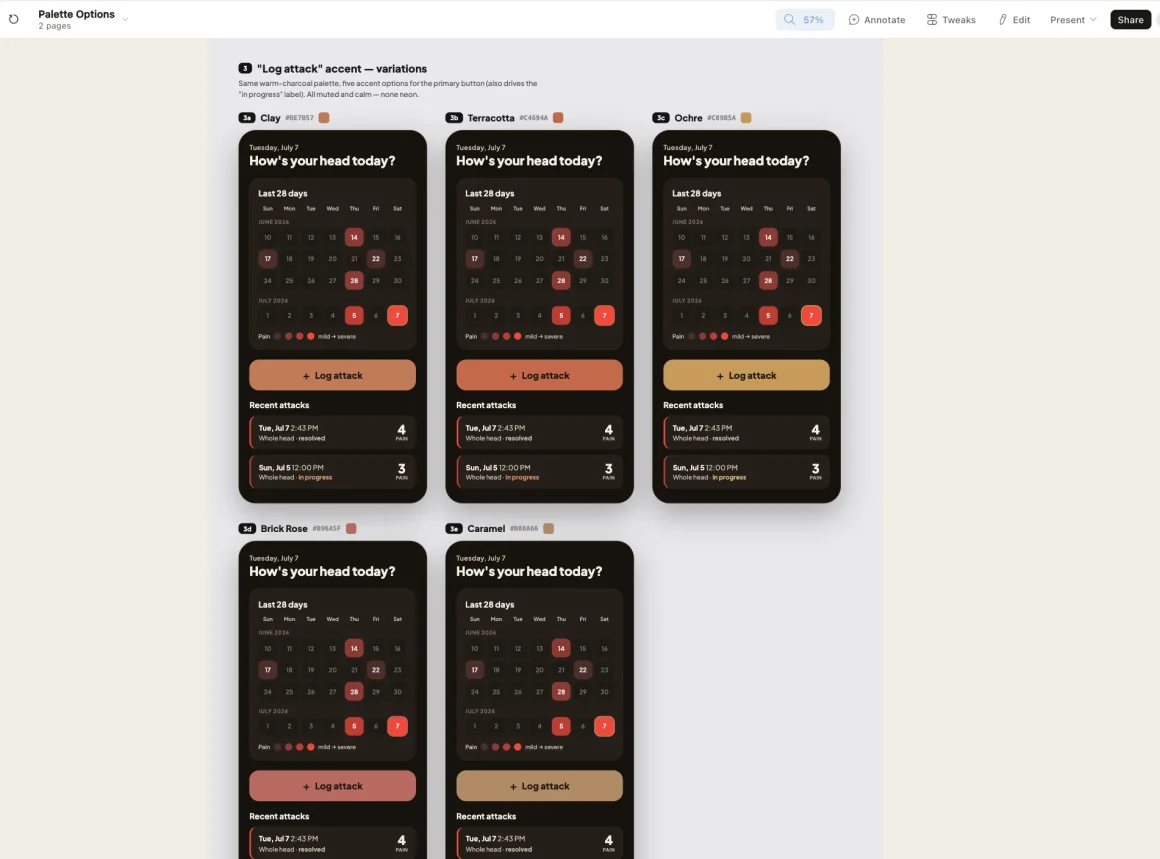
One credit-saving trick I’m proud of: I didn’t burn Hercules credits exploring color palettes. I used Claude Design to generate a visual palette board instead: 5 warm accent options (clay, terracotta, ochre, brick rose, caramel) mocked up on real app screens. I picked my favorite and handed Hercules the final decision as a simple instruction. Old bootstrap habits die hard.
From Publish to iPhone home screen in 2 minutes, no App Store needed
I expected publishing to be the complicated part. It was the easiest step of the entire build.
Apps you build with Hercules can ship as PWAs (Progressive Web Apps). If you have not met the term before, a PWA is a web app that your phone treats like a real app: it gets its own icon, launches full screen, works offline, and can even send push notifications.
The biggest difference from a native app is that a PWA installs from a link instead of an app store. Here is the entire flow:
- Click Publish in Hercules to get a live URL
- Open the URL in Safari on the iPhone
- Tap the Share icon, then Add to Home Screen
- Done. The app installs with its own icon and launches full-screen, just like a native app
Two minutes after clicking Publish, the app was on my father-in-law’s home screen. And because it stores everything on the device, it works in a dark bedroom with no signal, exactly where migraines happen.
His appointment is coming up. For years he has walked into that office with “headache, sometimes, very strong.” This time he will walk in with evidence: every attack, how bad and how long, which medicines helped and which didn’t, and his own notes. All on one printed page.
What makes a good vibe coder
I speak with so many founders who have spent years waiting to find a technical co-founder before they build anything. And I want to say this as directly as I can: you are not the bottleneck you think you are. Writing the code was never the hard part, and with tools like Hercules it isn’t even a step anymore. What the AI actually needed from me was everything else.
It needed me to know exactly who the user is. Not “users” in general, but a light-sensitive senior in the middle of an attack who can barely look at his phone. It needed me to have taste and hold onto it. It needed me to understand how the app should behave, where the data lives, what happens offline, what a broken state looks like. And it needed me to defend one principle while every default quietly pushed against it.
None of that is coding. That is just running a product the way you would run any business.
So if you ask me what actually makes someone good at vibe coding, my answer is none of the things you would expect. If you know what good looks like, have common sense, and deeply care about your end user, you will be great at it. Everything else, the AI already knows.