Written by Lidia Vijga
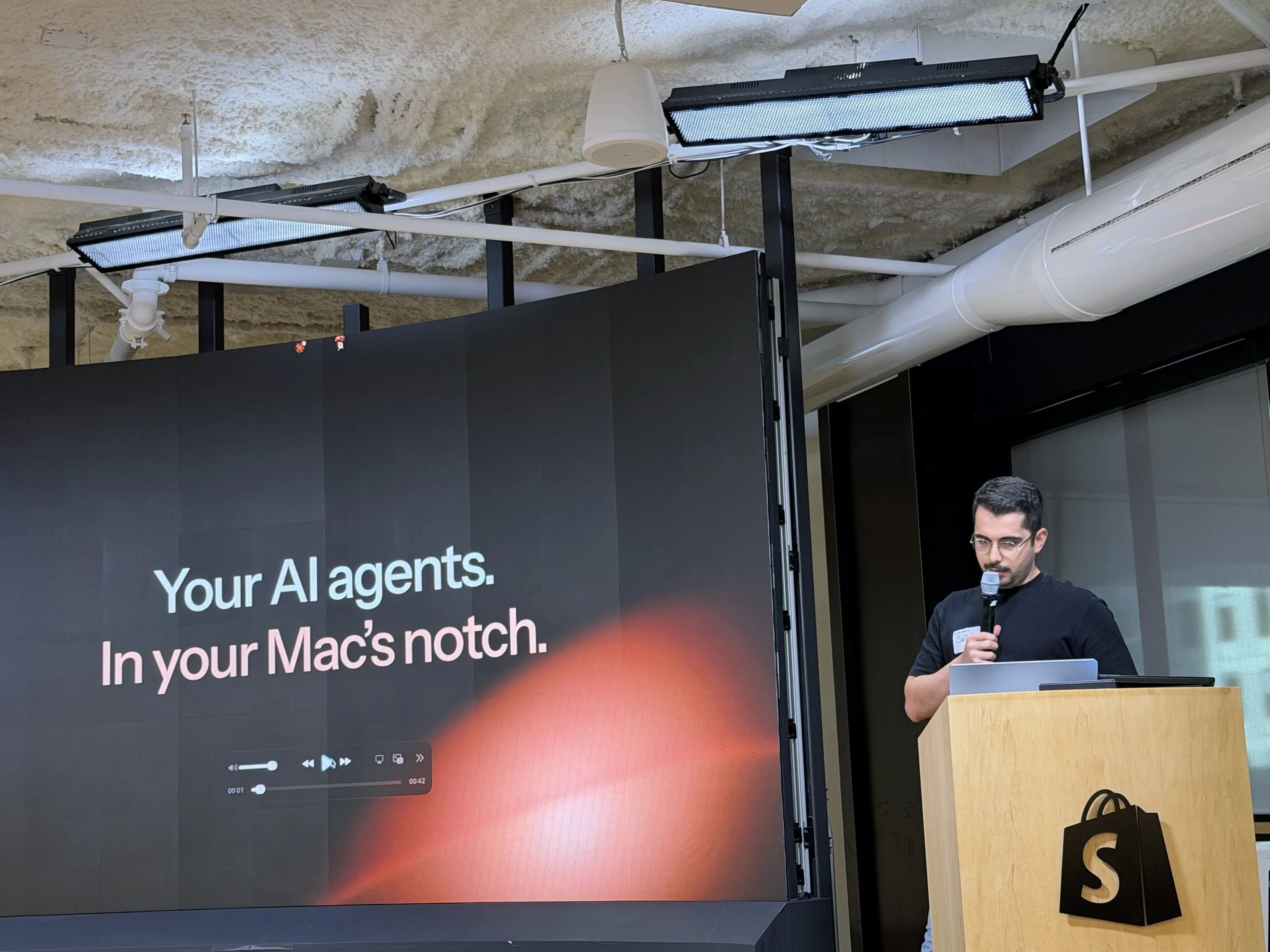
You’re running Claude Code, Codex, and 3 terminals at once, and the slowest thing on your desk is you, clicking between them to find the one that needs an answer. CrewTower is a Mac app that turns the notch, the strip of black glass every recent MacBook wastes, into a control panel for your whole team of agents. For anyone maxing out their tokens, it’s the missing piece.

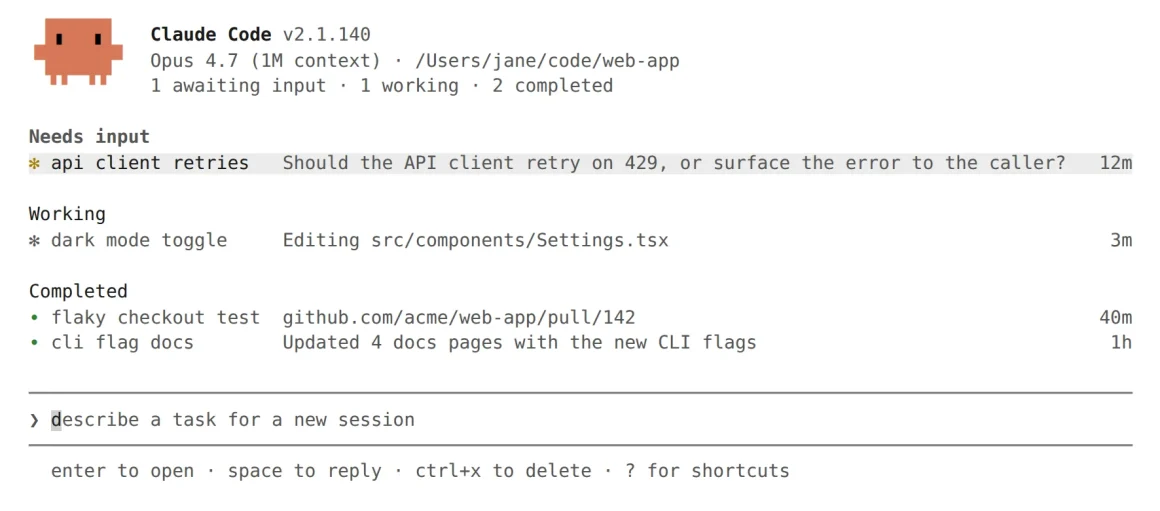
Count the terminal tabs open on your Mac right now. If you’ve gone full tokenmaxxer, running one agent per feature, spinning up subagents, keeping a Codex task alive next to 2 Claude Code sessions and a Gemini CLI job, the number is embarrassing. Every one of those windows is a separate place a request can appear.
A plan wants approval. A command wants a yes. A question is sitting there, blocking everything downstream, and you won’t know until you alt-tab into it. The agents are fast. The bottleneck is the human doing traffic control.
That’s the quiet cost of running agents in bulk, and almost nobody prices it in. You optimized the model and you optimized the prompt. But you never optimized the 40 times an hour you go hunting for which session stopped and why.
The tokenmaxxer’s real problem isn’t tokens
Running a crew is now a documented workflow, not a hack. Claude Code alone ships 5 different ways to work on several tasks at once: subagents, agent view, agent teams, dynamic workflows, and projects. The point of all of them is to stop working one task at a time. The catch is written into Anthropic’s own docs: running several sessions or subagents at once multiplies token usage. 3 agents burn roughly 3 times the fuel of one.
So the tokenmaxxer lives with 2 problems at once, and they pull against each other.
The first is attention.
The more agents you run, the more moments there are where one of them stops and waits for you, and the harder it is to see which one.
The second is fuel.
Anthropic meters Claude Code on both a 5-hour rolling window and a weekly cap, and Codex runs its own limits. Push a fleet hard and you can wall yourself off mid-sprint, with no warning until the session refuses to move.
Tools like lazycodex, an agent harness built for aggressive parallel execution and pushing 3,400 GitHub stars, exist precisely because people want to run more agents harder.
The harness makes the crew bigger. It does nothing for the coder who now has to steer it.
CrewTower is the part that steers.
What the CrewTower notch actually does for your AI agents
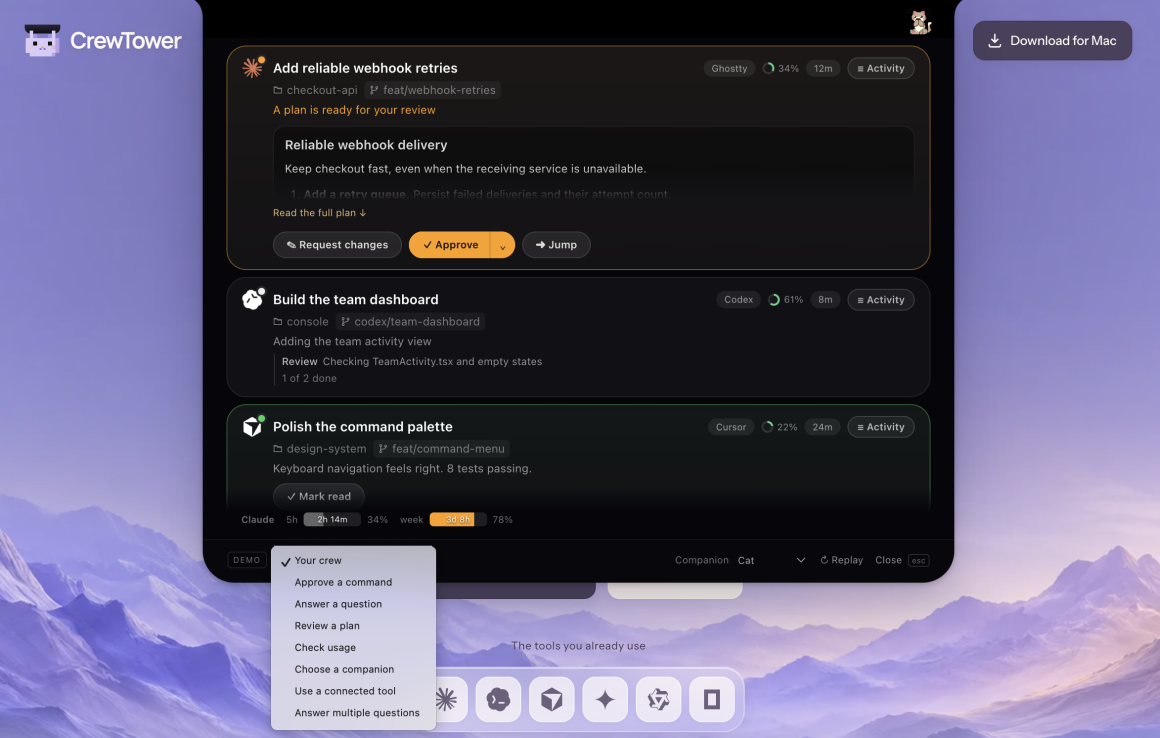
CrewTower keeps Claude Code, Codex, and your other agents in view at the top of the screen, and lets you answer them without opening a single app.
1. Approve or deny without leaving what you’re doing.
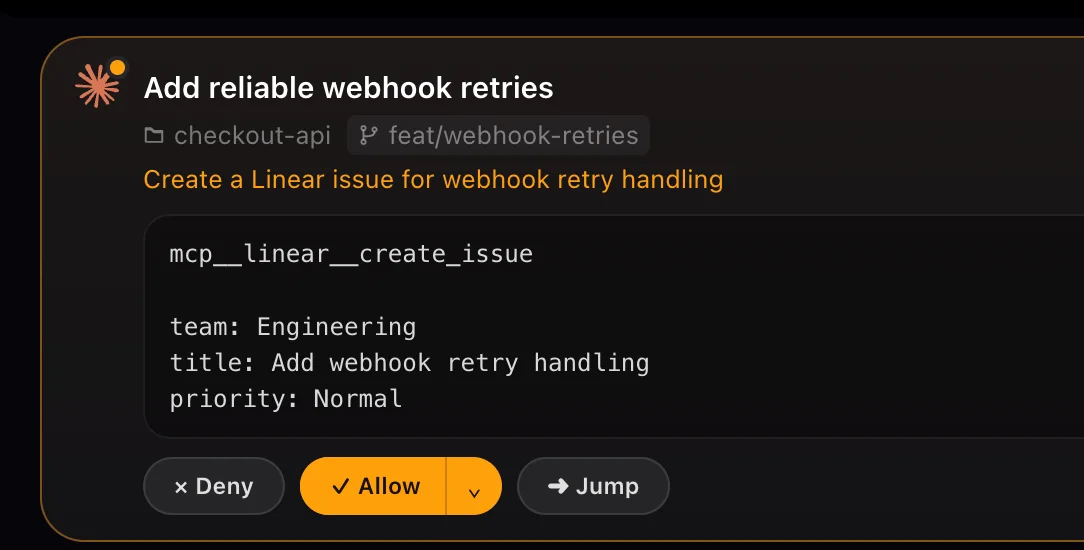
When an agent needs a yes, the request appears in the notch and your answer goes straight back to the session, while your current window stays in focus. Destructive commands get a visible warning first, so a rm -rf build/ shows you what it deletes before you wave it through.
You choose how long the approval lasts: once, for this session, or always where the agent supports it.
2. Read the plan, then have your say.
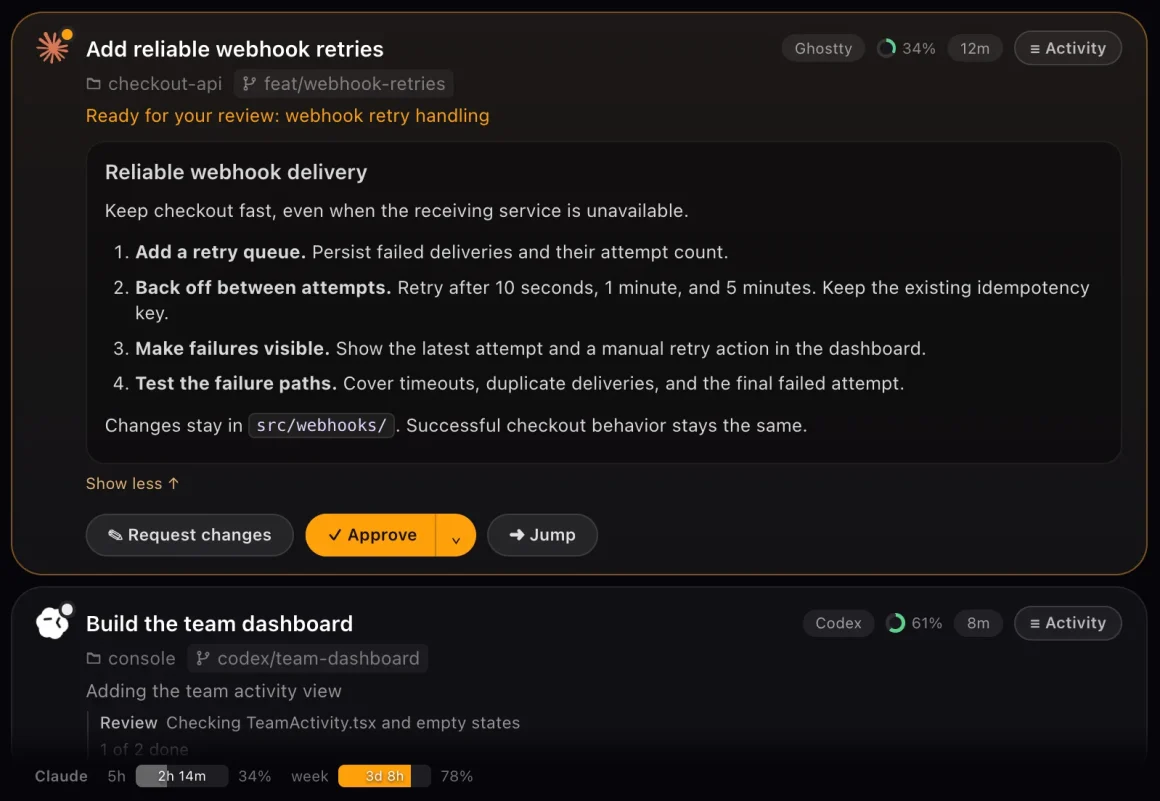
When an agent hands you a plan, you open the full thing in the notch, approve it, or send feedback for a revision before any code gets written. Same for open questions: the agent asks which queue the worker should use, you pick an option and the work keeps moving.
Plan review is where tokens get saved or wasted at scale, because a bad plan approved on autopilot is a whole session burned.
3. Jump straight to the session that needs you.
When you do need to be inside the work, Jump takes you to the exact place: the right terminal tab or tmux pane for a CLI session, or the Claude Code task in the Claude app and the Codex task in the ChatGPT app.
So no more reading 4 identically named claude tabs to find the live one. It works across iTerm2, Ghostty, Kitty, Alacritty, WezTerm, Warp, and plain Terminal.
4. Watch context and usage before either runs out.
A small ring on each session shows how full its context is, with warnings as it fills. Underneath, CrewTower shows your Claude and Codex usage windows, so the weekly cap stops being a surprise and starts being a gauge.
For a tokenmaxxer, this is the fuel light. You can see the wall coming and downshift, instead of finding it at 2pm on a Thursday with half a feature done.
5. Swap companions, and keep it quiet when you have to.
You can put a small pixel companion in the bar that reacts as your crew works, waits, and finishes. Yes, it’s adorable. And yes, you can turn it off and run character-free if that’s not your thing

Privacy mode holds the panel closed and silences alerts for a screen share, while your agents keep working in their own apps.
6. Keep the whole thing on your machine.
CrewTower doesn’t upload your prompts, code, or transcripts, and there’s no account and no app analytics.
For founders shipping anything sensitive, that’s what lets you actually use it. Your crew stays local, the control panel just sits at the edge of the screen.
Why turning the Apple notch into mission control is the smartest move
The founder lesson here is worth pulling out, because it’s a positioning move more than a feature. CrewTower claimed a piece of real estate that every MacBook has and nothing else uses.
The notch is dead space most people just work around. Turning it into mission control for your agents is the kind of wedge that looks obvious only after someone builds it, the same way Loom made “the video is the message” and Superhuman made the keyboard-only inbox.
It also runs everywhere, not just on notched machines. On an external display it shows up as a small pill at the top of the screen with the same controls, on macOS 15 or later.
The bet is that a persistent, always-visible strip beats another window you have to dig for, and for a workflow where the whole problem is too many windows, that bet is right.
CrewTower pays for itself the first time it saves you from a bad plan
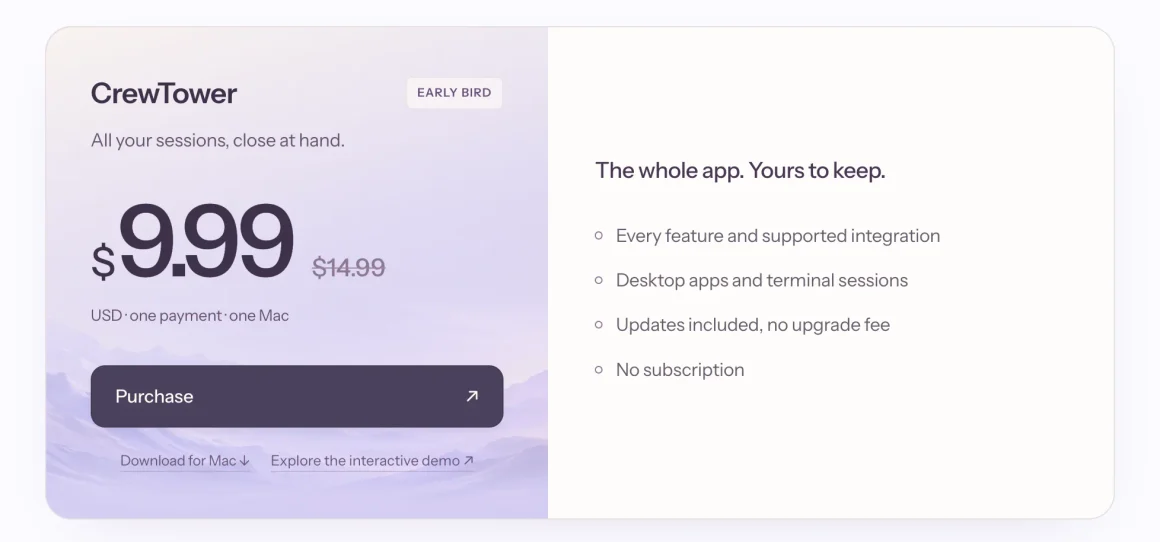
CrewTower is a one-time $9.99, early-bird down from $14.99, for one Mac. No subscription, updates included.
Set that next to what a tokenmaxxer already spends: a Claude Max plan runs $100 to $200 a month, and most serious fleet-runners are stacking Max with a Codex plan on top.
Against a few hundred dollars a month in agent subscriptions, a $10 control panel that saves you from burning a weekly cap on a plan you would have rejected isn’t a purchase you model in a spreadsheet. It pays for itself the first time it stops you approving one bad plan.
The one honest catch: this Mac app has no free trial. What the site gives you instead is a full live demo that replicates the app right in the browser, so you can click through real approvals, questions, plans, and companions before you spend anything. Run the demo, decide in 3 minutes, and you’ve lost nothing if it isn’t for you.
Why CrewTower is a must-have for tokenmaxxers
The whole tokenmaxxer race has been about throughput. More agents, bigger harnesses, more parallel runs, more tokens burned per hour. And somewhere in there the bottleneck stopped being the machine and became you: the one who still has to approve the plans, answer the questions, and catch it when the tank runs dry. Whoever keeps the crew moving ships fastest now, and honestly that comes down to how much you can see at once.
CrewTower’s whole pitch is that the fix costs $10 and sits in the one strip of your Mac you’d been ignoring anyway. So run your 5 agents from somewhere you can actually see them, or keep alt-tabbing around and calling it productivity.
Running the agents was never the problem. Keeping five of them pointed in the right direction is, and that’s the job CrewTower actually does.